How RooSecure Security Suite Works
A simple, powerful security workflow designed for real WordPress websites.
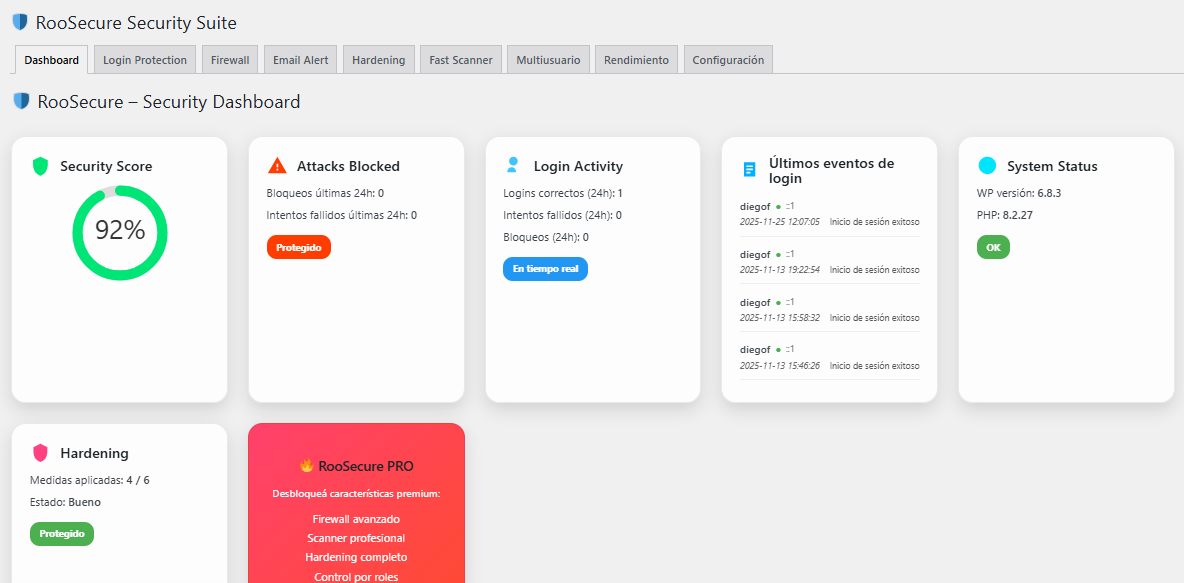
1. Central Security Dashboard
The dashboard gives you a full overview of your website’s protection level: security score, attacks blocked, login activity, system status and more – all in one place.
- Real-time security score tracking
- Monitoring of login events and failed attempts
- System status and WP/PHP health checks
- Fast overview of applied protections
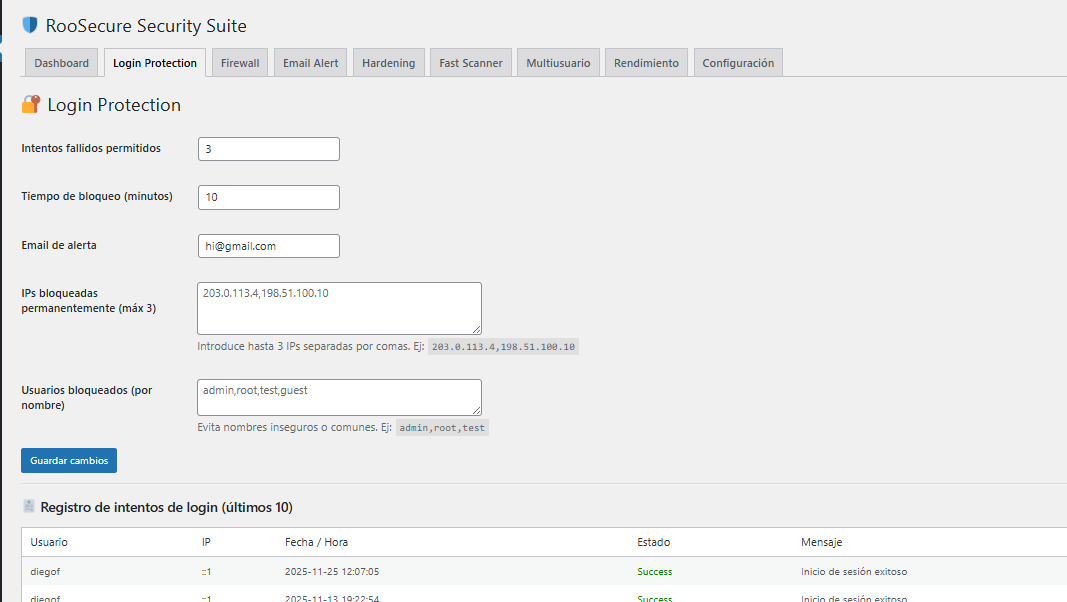
2. Smart Login Protection
Stop brute-force attacks with configurable login limits, IP blocking and automated email alerts.
- Limit failed login attempts
- Temporary or permanent IP blocking
- Email alerts for suspicious activity
- Live log of login attempts
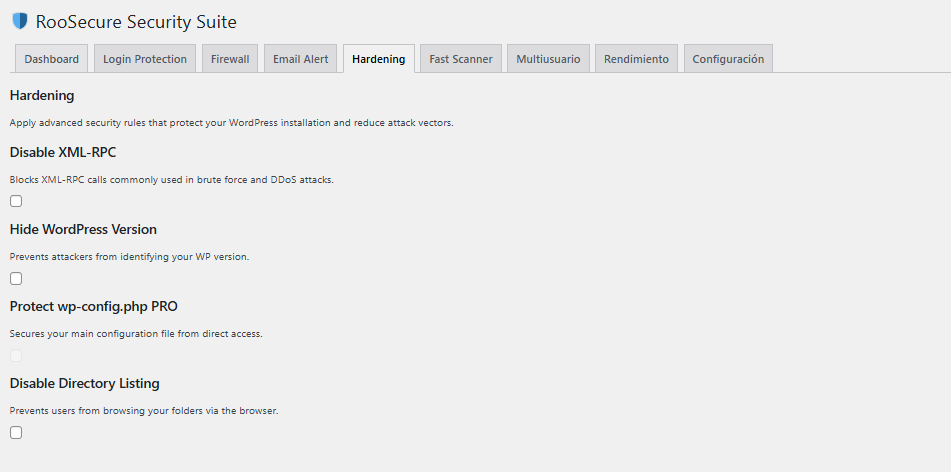
3. One-Click WordPress Hardening
Apply essential security rules that block common attack vectors and improve the overall resilience of your website.
- Disable XML-RPC
- Hide WordPress version
- Disable directory listing
- Protect sensitive configuration files